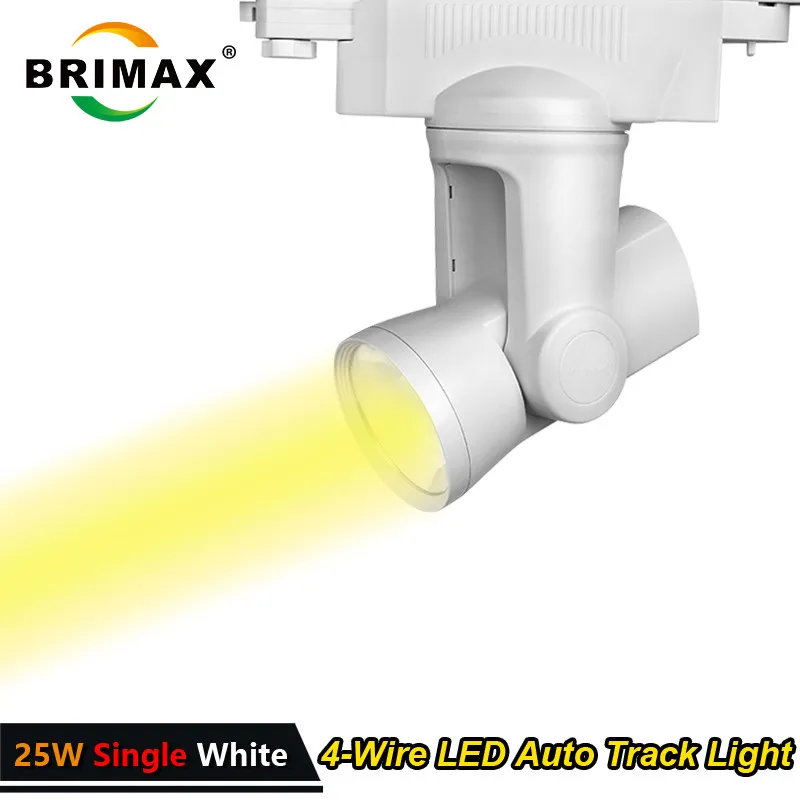

2016 Mi.light original manufacturer 25W single white CRI>90 RA 4 wires cob led track light | Освещение

Shop1654233 Store
Информация о магазине
Стаж работы магазина Shop1654233 Store можно посмотреть на странице заказа товара.
*Внимание! Точную цену на данный товар Вы можете узнать непосредственно у продавца! На 18.04.2026 стоимость указанная на данной странице уже могла измениться! * Узнать цену *
2016 Mi.light original manufacturer 25W single white CRI>90 RA 4 wires cob led track light
Packaging incl. :
1pc Single white dimmable 25W Automatic Led Track Light--Type3 1pc instructions manual (not include remote) LCD Screen 2.4G RF Remote controller link: https://www.aliexpress.com/store/product/LCD-display-RF-Remote-controller-for-Milight-Automatic-rotating-track-spotlight-25w-rgbw-color-changing/1654233_32761144774.html
Newest Wifi controller:
https://www.aliexpress.com/store/product/Milight-2-4G-Wireless-WiFi-controller-for-LED-Strip-Lamp-Bulb-RGB-Color-iBox1-for-Iphone/1654233_32763315961.html

1)Wi-Fi enabled smart phone control, 2.4 GHz high frequency wireless tech; download free App from
iphone.
2).Horizontal Rotation angle is 0-360 degree and Vertical Rotation angle is 0-350 degree. 99 Unique zones, individual light control, you can control each light individually. 3)Saturation function mix white into RGB color ,the color chaning up to 256 kinds . Brightness adjust from 100% -1% Accurately. 4)Also available in pure warm white and pure cool white, dimmer control option can be activated with remote light control, Iphone or Android. 5)Has memory function to resume previous settings. 6)Ac86-265 available,low power consumption 7)CE &ROHS, 3 Years warranty

Function
-
SHIFT( Switch key for individual and group of tracklights
1,SHIFT is a switch key used for choosing individual track light or group of track lights.
2,Hold any of the number key, when it shows’----‘, you are ready to choose any individual track light by typing in its 4 digital ID number on the remote. E.g. when you press 1111, the track light with ID number 1111 is chosen.
3,Press SHIFT once, hold any of the number key,when it shows’CH--‘, you are ready to choose any group of track lights by typing in their group number on the remote. E.g. when you press 20, the track lights in CH20 are chosen.
EDIT( Edit key for grouping the tracklights)
How to Eidt the Groups:
1. Link the tracklight with the remote control( see below 5.)
2. Edit the numbers shown on the remote screen in accordance with the corresponding tracklight( Each tracklight has a 4 digital ID number on it)
3. Press’Edit’ on the remote control, enter the Group Editing Mode, on the remote control, it shows ‘Ed--‘, on the tracklight, it shows’CH--), press the numbers on the remote control, e.g.61, the tracklight will be grouped into group 61.
4,Press any key on the remote control (except for the number keys)to stop editing.
There are no more than 99 groups, and each group can have limitless numbers of tracklights.
( Note: You can control all the linked tracklights when you change to ‘CH00’on the remote control screen)
S: Save or Choose the Mode
‘Mode’: You can save and choose RGB color, kelvin, brightness, saturation rate and the direction of the tracklights.
How to save:
1. Adjust the mode which you want to save
2. Hold’S’when you see ‘Save’blinking on the screen.
3. Press any number key from 1-9, ‘Save’ will stop blinking, the mode will be saved on which key you pressed.
How to choose the mode which you saved:
1. Press’S’when you see ‘Select’blinking on the screen.
2. Press the number key which you have saved before, ‘Select’will stop blinking, the mode which you have saved on this key will show.
( Note: save0 or select0 means change the tracklight to the default direction)
M( Choose dynamic modes or Adjust the directions)
How to choose dynamic modes:
Press’M’, ‘Mode’ will be blinking on the bottom left of the remote control screen, ‘Motor’ will be shown on the bottom middle of the screen.
Now you can start choosing the 9 dynamic modes by pressing the number key from 1-9, ‘Mode’will stop blinking and ‘Motor’will disappear.
How to adjust the directions:
Press’M’, ‘Mode’ will be blinking on the bottom left of the remote control screen, ‘Motor’ will be shown on the bottom middle of the screen.
Now you can also change the directions of the tracklights, up and down, left and right, ‘Mode’will stop blinking andicon will show up along with ‘Motor’
Link&Unlink
Link:Switch off the power of the tracklight, switch on again, press’ON’button on the remote control 3 times within 3 seconds, the link is done when the green light blinks three times.
Unlink:Switch off the power of the tracklight, switch on again, press’ON’button on the remote control 5 times within 3 seconds, the unlink is done when the red light blinks 10 times.


 Идёт загрузка...
Отзывы о других товарах
Анатолий: Заказал несколько таких изделий из ротанга, они красиво смотрятся на кухне в качестве ковриков-подставок под чашки, из которых обычно пьют кофе или чай. Ощущаешь о...
Читать полностью...
Карина: Как по мне, один из самых необычных фасонов. Заказывала это платье несколько недель назад, нареканий никаких. После получения - пр...
Читать полностью...
Марина: Платье, прежде всего, интересное и необычное. Я его заказала около месяца назад, недавно оно наконец-то пришло ко мне. Еще н...
Читать полностью...
Екатерина: Раньше я никогда не заказывала вещи в интернет-магазине, но все знакомые девчонки постоянно покупают своим деткам через этот сайт. Я тоже решила попробовать з...
Читать полностью...
Виктор В.: Лёгкие сами по себе туфли. Я купил несколько пар: на весну и на начало осени. Выполнена обувь из материалов похожее на кожу. Каблук акку...
Читать полностью...
Олег В.: Я ношу обычно футболки темных цветов. В этот раз взял светлую. Материал у нее хлопок, одевать буду как потеплеет и с джинсами...
Читать полностью...
Данный товар, можно так же приобрести с кэшбэком до 5%! Подробнее тут: